
Bluebeam Revu for iPad3.10.18 - App Store
You'll be able to see results in few seconds.
Publisher Description
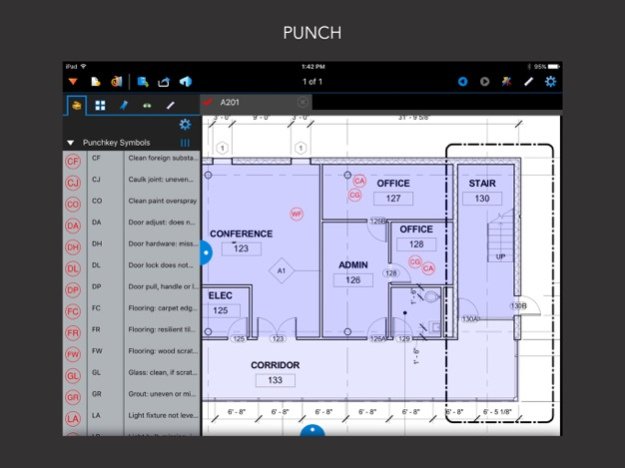
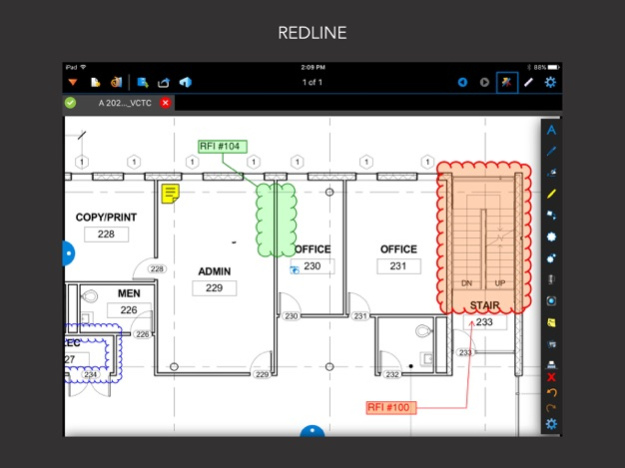
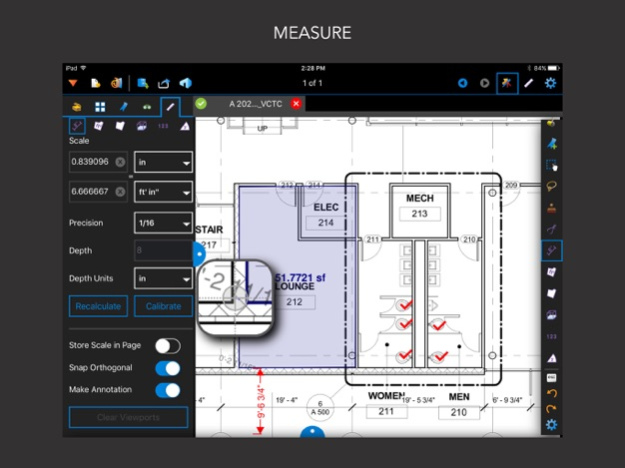
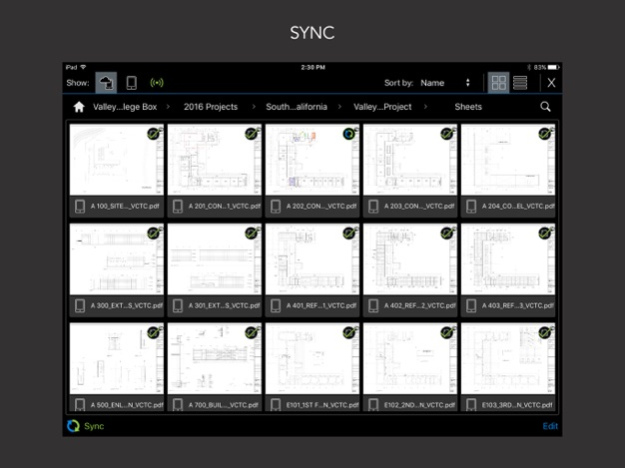
Bluebeam® Revu® for iPad lets you work without limits from anywhere. Access and navigate PDFs on the go. Markup PDFs with industry-standard symbols in the field, and verify measurements on the fly. Collaborate with colleagues in real time using Revu’s cloud-based solution, Bluebeam Studio™, which instantly renders large format single sheet PDFs so productivity isn’t compromised. All it takes is a tap and swipe to experience the difference.
Markup and Measure
• Add comments, images, symbols, multimedia and more with customizable markup tools
• Embed multiple photos and videos into markups using the iPad camera, as well as image files from the Document Manager or your iPad’s Photo Library
• Save custom markups in the Tool Chest™ for easy reuse, or import your own
• Verify length, area, perimeter, radius and volume measurements
Collaborate
• Access Studio Projects created in Revu on Windows or Mac, and check out and edit Project PDFs, regardless of Internet access
• Start Studio Sessions or join existing ones to collaborate with colleagues in real time
• Chat with and follow any attendee’s view as they markup Session PDFs
• Set attendee permissions such as save, print, markup and add documents
View and Track
• Track all comments placed on PDFs - including author, date and time - with the Markups list
• Sort markups, view Custom Columns and manage which columns are displayed in the Markups list
• Reply to markup comments and change the status of markups in the Markups list
Sync and Navigate
• Sync PDFs or entire folders without interruption from Dropbox, Box, WebDAV, ShareFile and Studio Projects
• Navigate instantly rendered large format, single page PDFs from Studio Projects with Studio Go®
• Rotate, reorder or add/delete pages from the Thumbnails tab
• Add, delete or tap through existing bookmarks in a PDF and search for text
Apr 14, 2025
Version 3.10.18
This is expected to be the last version of Revu for iPad. It includes in-app guidance on how to continue working with Bluebeam on iOS and other device platforms, plus a small fix for an issue with URLs not opening properly.
About Bluebeam Revu for iPad
The company that develops Bluebeam Revu for iPad is Bluebeam, Inc.. The latest version released by its developer is 3.10.18.
To install Bluebeam Revu for iPad on your iOS device, just click the green Continue To App button above to start the installation process. The app is listed on our website since 2025-04-14 and was downloaded 0 times. We have already checked if the download link is safe, however for your own protection we recommend that you scan the downloaded app with your antivirus. Your antivirus may detect the Bluebeam Revu for iPad as malware if the download link is broken.
How to install Bluebeam Revu for iPad on your iOS device:
- Click on the Continue To App button on our website. This will redirect you to the App Store.
- Once the Bluebeam Revu for iPad is shown in the iTunes listing of your iOS device, you can start its download and installation. Tap on the GET button to the right of the app to start downloading it.
- If you are not logged-in the iOS appstore app, you'll be prompted for your your Apple ID and/or password.
- After Bluebeam Revu for iPad is downloaded, you'll see an INSTALL button to the right. Tap on it to start the actual installation of the iOS app.
- Once installation is finished you can tap on the OPEN button to start it. Its icon will also be added to your device home screen.
Program Details
System requirements
Download information
Pricing
Version History
version 3.10.18
posted on 2025-04-14
Apr 14, 2025
Version 3.10.18
This is expected to be the last version of Revu for iPad. It includes in-app guidance on how to continue working with Bluebeam on iOS and other device platforms, plus a small fix for an issue with URLs not opening properly.
version 3.10.17
posted on 2025-04-02
Apr 2, 2025
Version 3.10.17
This is expected to be the last version of Revu for iPad. It includes in-app guidance on how to continue working with Bluebeam on iOS and other device platforms.
version 3.10.16
posted on 2024-11-06
Nov 6, 2024
Version 3.10.16
Improved SCIM support.
version 3.10.12
posted on 2024-03-18
Mar 18, 2024
Version 3.10.12
Introduces support for 64-bit markups in Studio Sessions. This version and later are required for access to Studio.
version 3.10.11
posted on 2023-07-17
Jul 17, 2023
Version 3.10.11
Fixed a crashing issue affecting users on iOS 15.
version 3.10.10
posted on 2023-07-05
Jul 5, 2023
Version 3.10.10
Fixed an issue where Save As was flashing intermittently during a long-press of the file tab.
version 3.10.9
posted on 2022-10-05
Oct 5, 2022
Version 3.10.9
Fixed an issue where large documents weren't syncing with Egnyte.
version 3.10.8
posted on 2022-01-26
Jan 26, 2022
Version 3.10.8
Fixed an issue with pinch to zoom on iOS 15.
version 3.10.7
posted on 2021-12-28
Dec 28, 2021 Version 3.10.7
Addressed a low memory bug by reverting functionality to the previous version.
version 3.10.6
posted on 2021-12-07
Dec 7, 2021 Version 3.10.6
Fixed an issue with pinch to zoom on iOS 15
Disclaimer
Official App Store Link
We do not host Bluebeam Revu for iPad on our servers. We did not scan it for viruses, adware, spyware or other type of malware. This app is hosted by Apple and passed their terms and conditions to be listed there. We recommend caution when installing it.
The App Store link for Bluebeam Revu for iPad is provided to you by apps112.com without any warranties, representations or guarantees of any kind, so access it at your own risk.
If you have questions regarding this particular app contact the publisher directly. For questions about the functionalities of apps112.com contact us.
